
Start Now
1. Log In to Signa
Signa supports both email login and wallet login. In either case, the platform creates a dedicated smart wallet for your account. That smart wallet is the account you will use for deposits, trading, and withdrawals.
Login methods
- Email login: the quickest option if you do not want to connect an external wallet.
- Wallet login: supported wallets include FoxChat, MetaMask, OKX Wallet, and other compatible options.
A. Log in with email
- Open signamarkets.com.
- Click Log In in the top-right corner.
- Enter your email address.
- Retrieve the 6-digit verification code from your inbox.
- Paste the code into Signa to complete login.
B. Log in with FoxChat
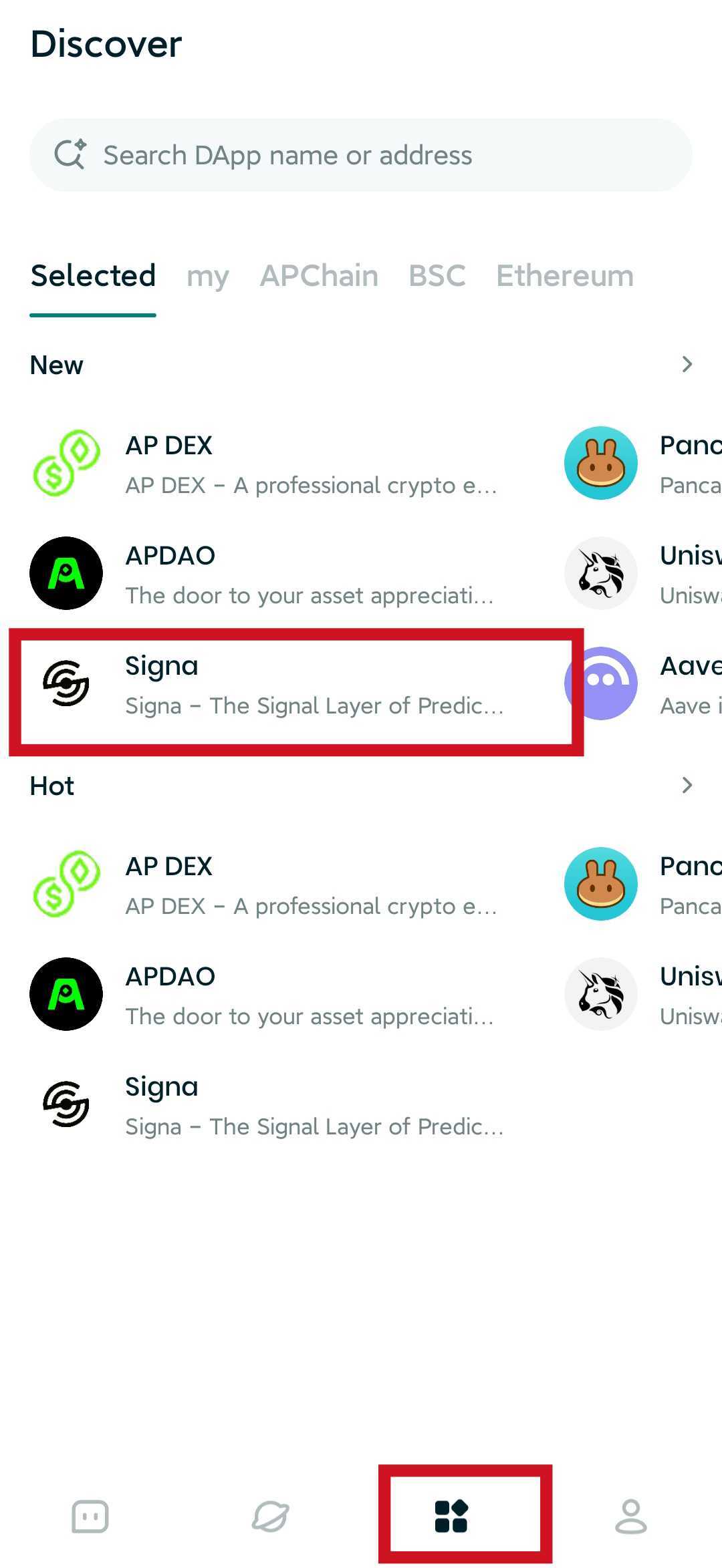
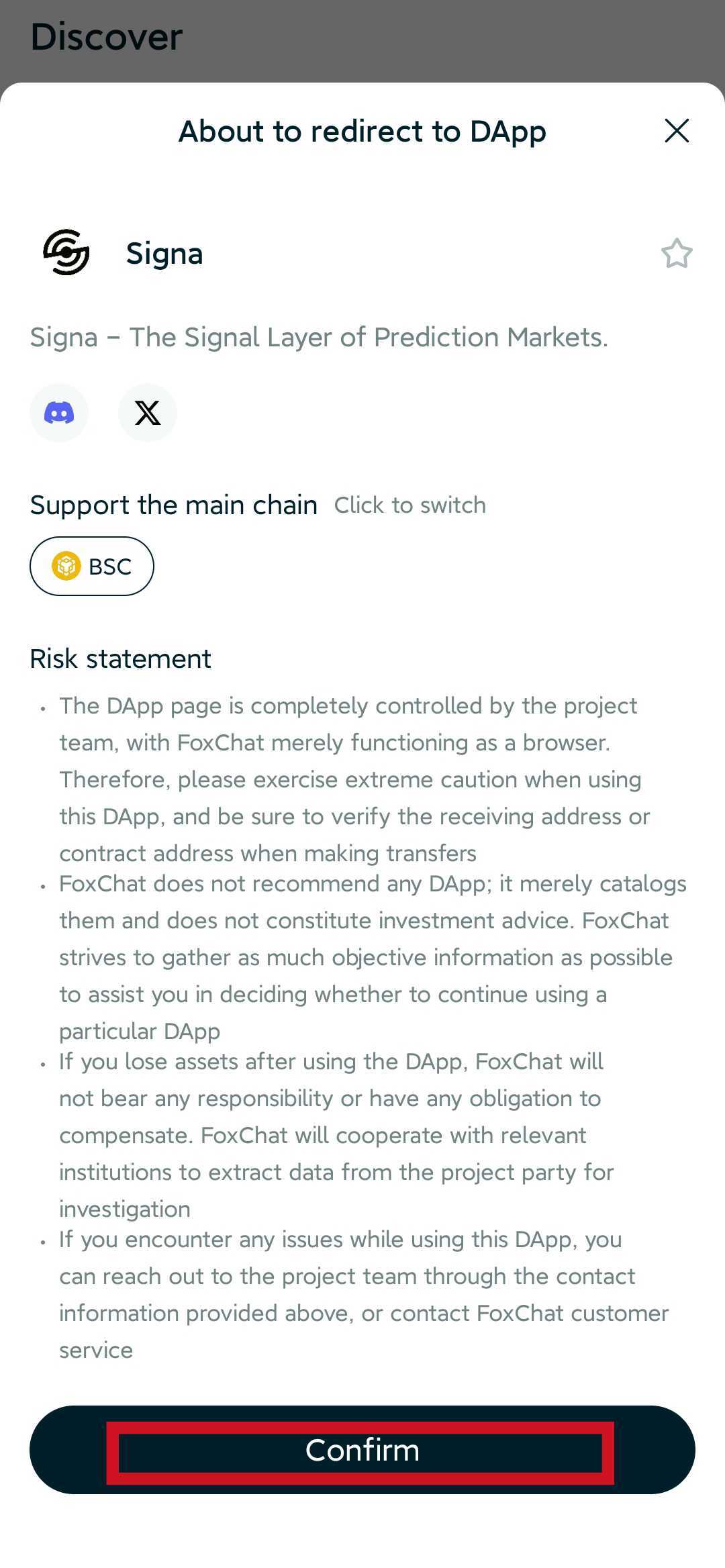
- Open FoxChat and navigate to Signa through the Discover section or the dApp browser.
- Confirm the connection request.
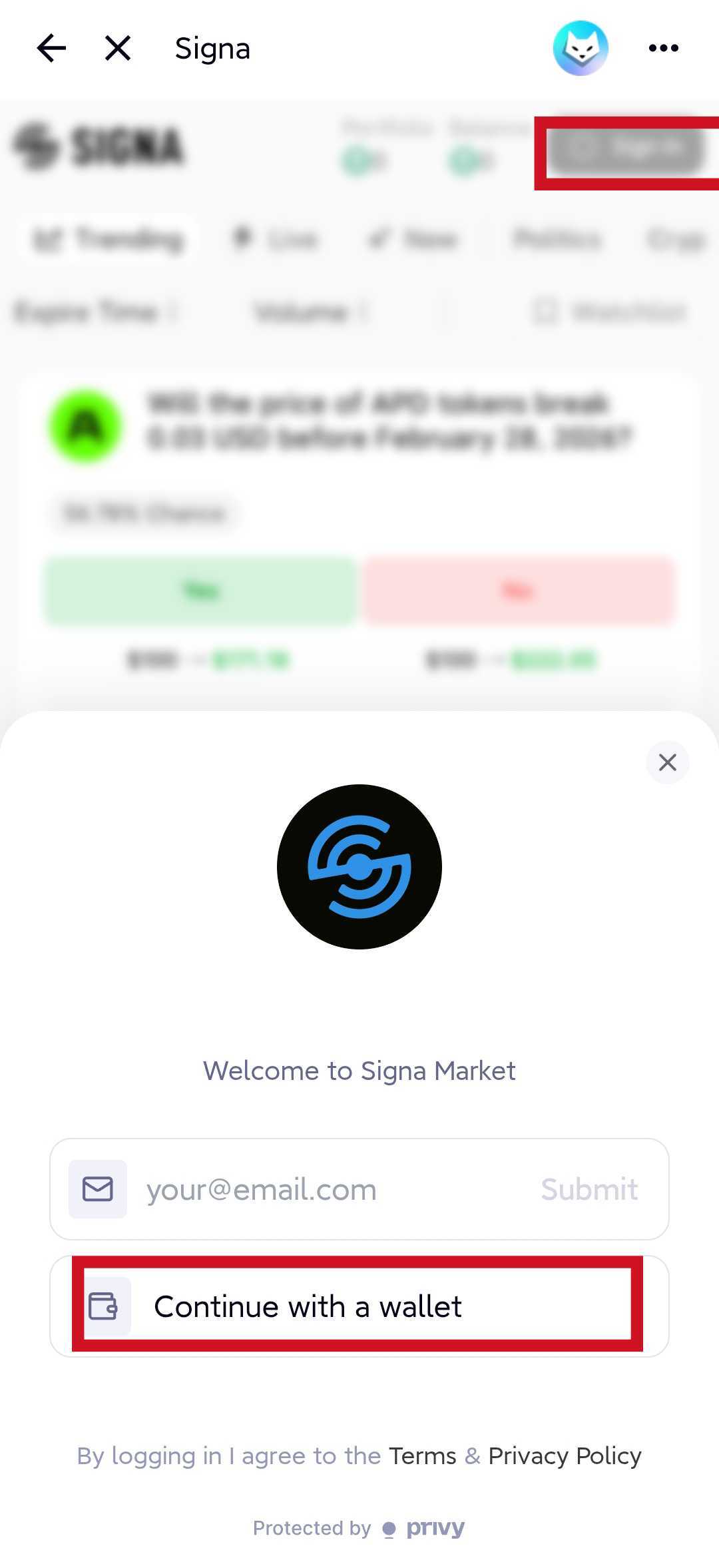
- On the Signa page, click Log In and continue with wallet login.
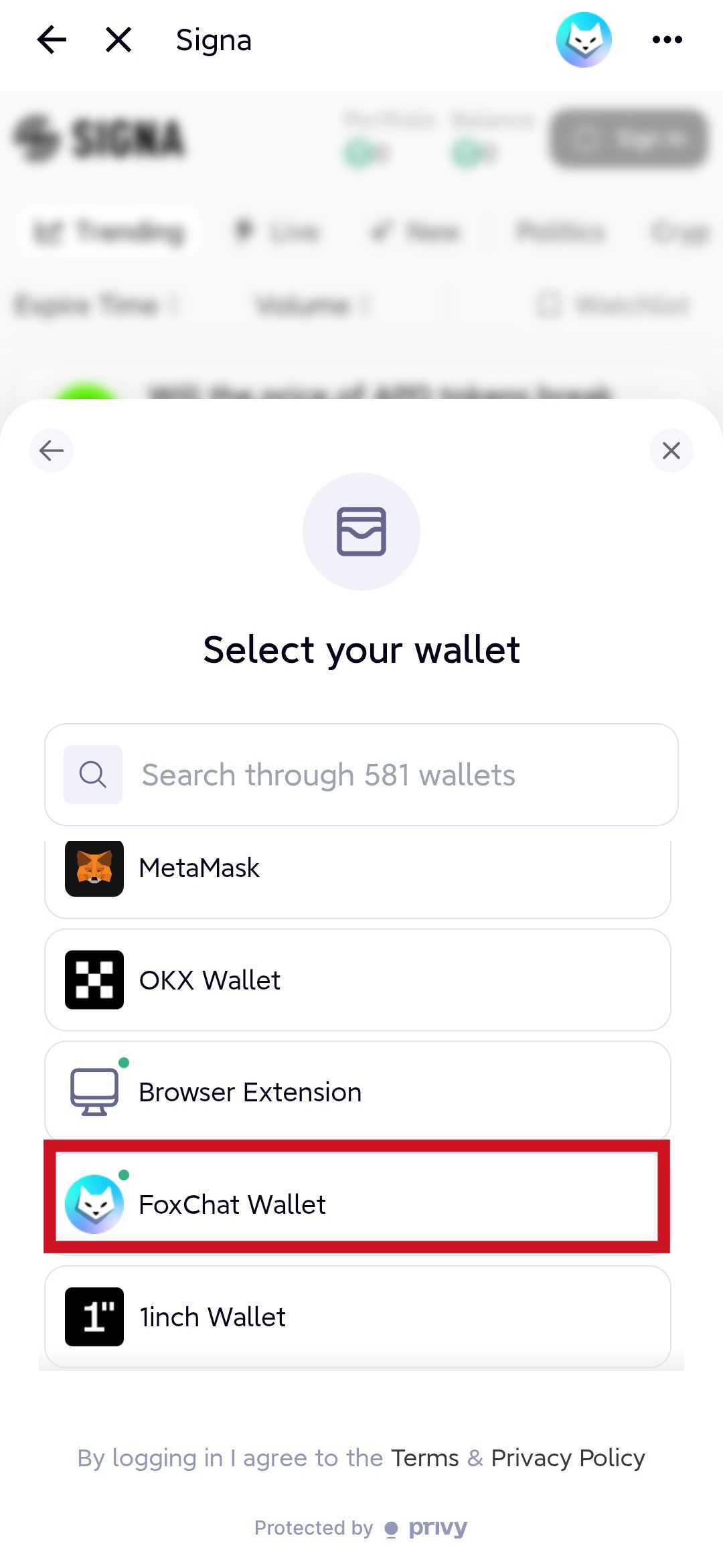
- Select FoxChat Wallet.
- Sign the login message when prompted.
- Optionally set a display name or invitation code.
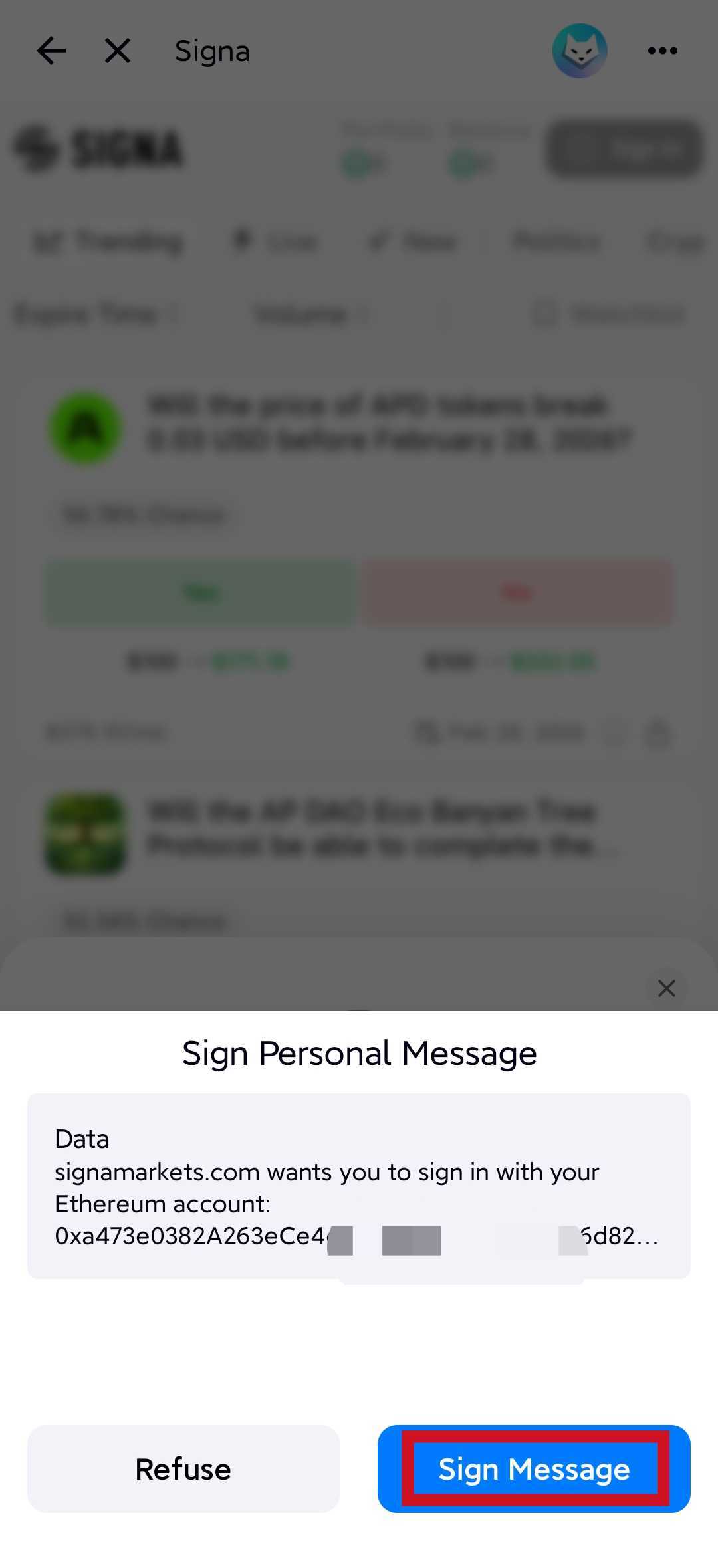
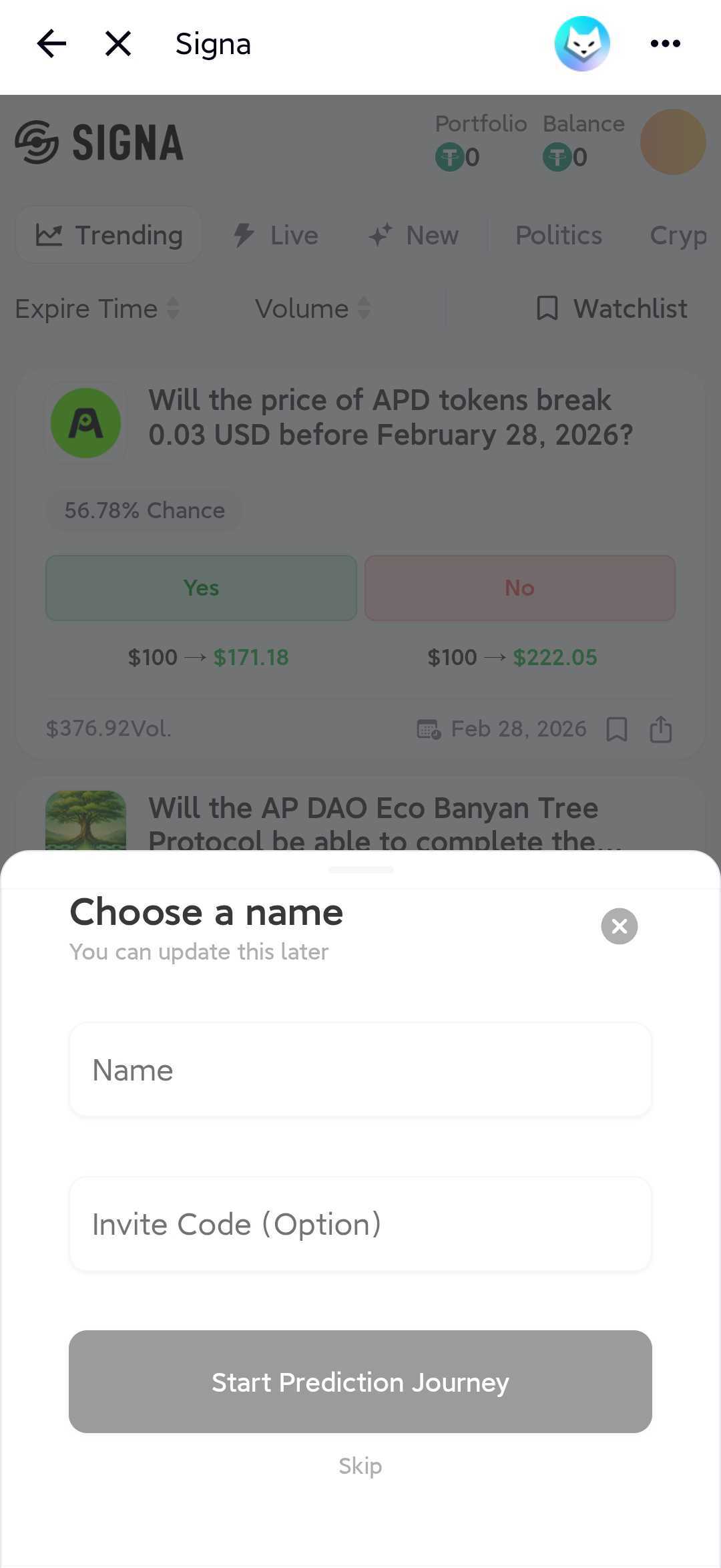
C. Log in with another wallet
The flow is similar for MetaMask, OKX Wallet, and other supported wallets:
- Open your wallet and visit signamarkets.com.
- Approve the dApp connection.
- Click Log In.
- Select your wallet.
- Connect and sign the login message.
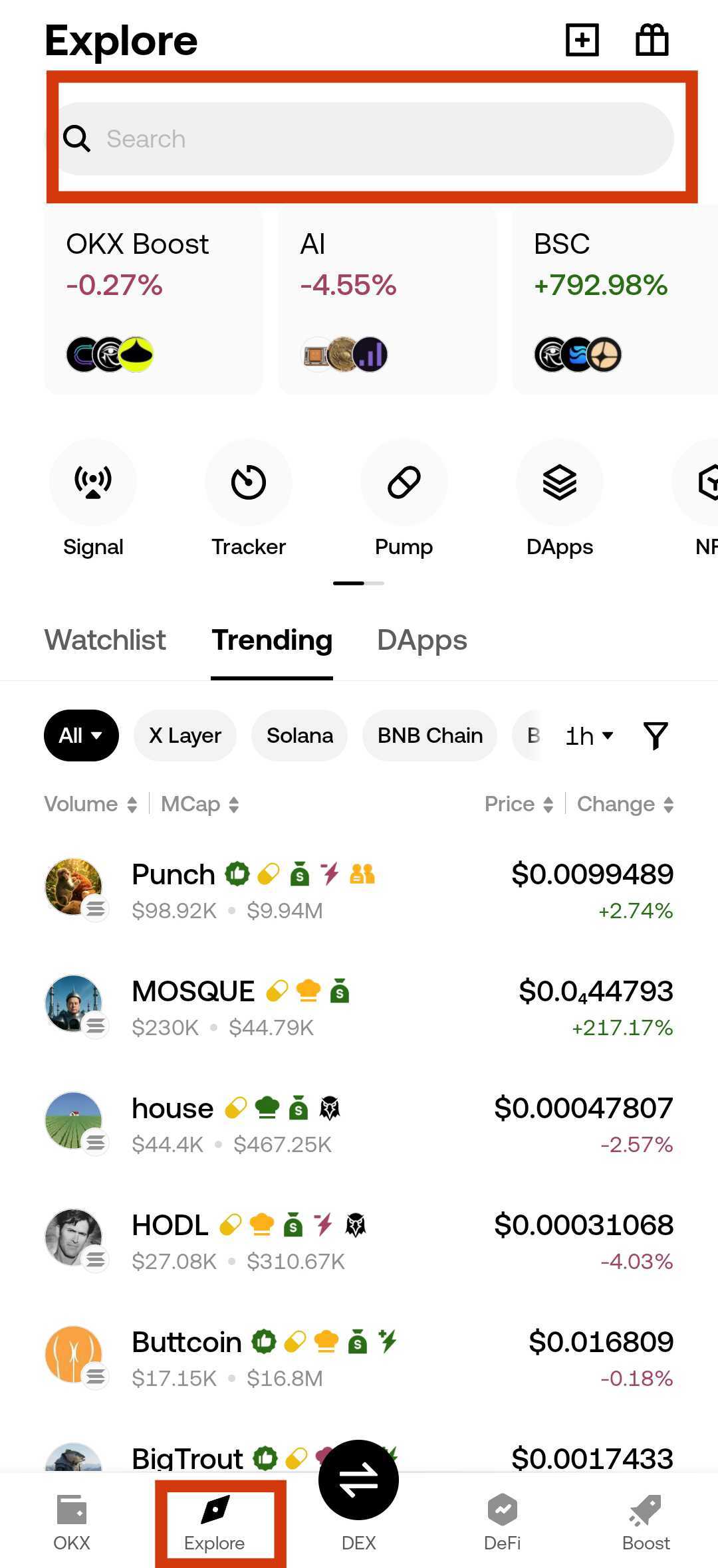
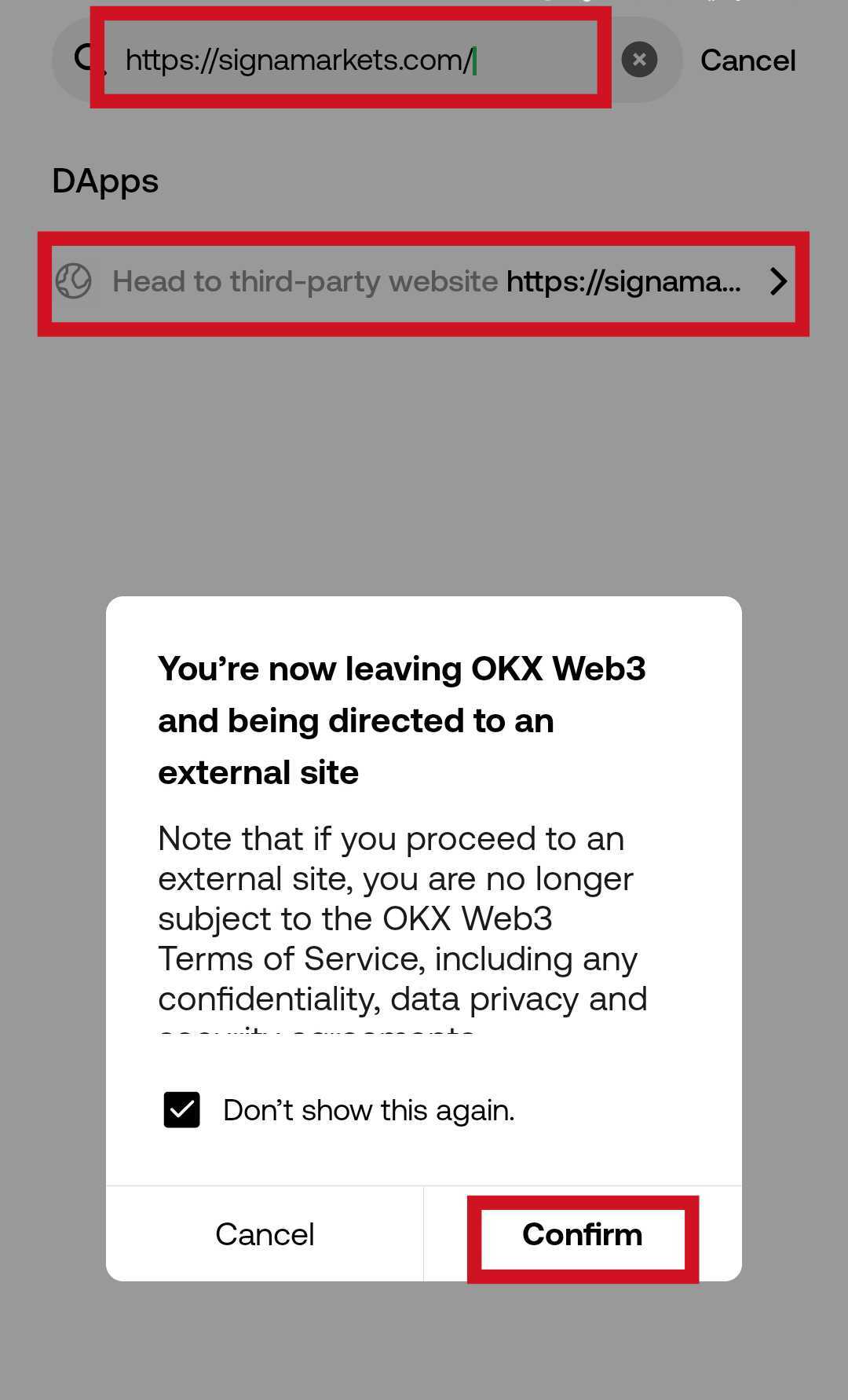
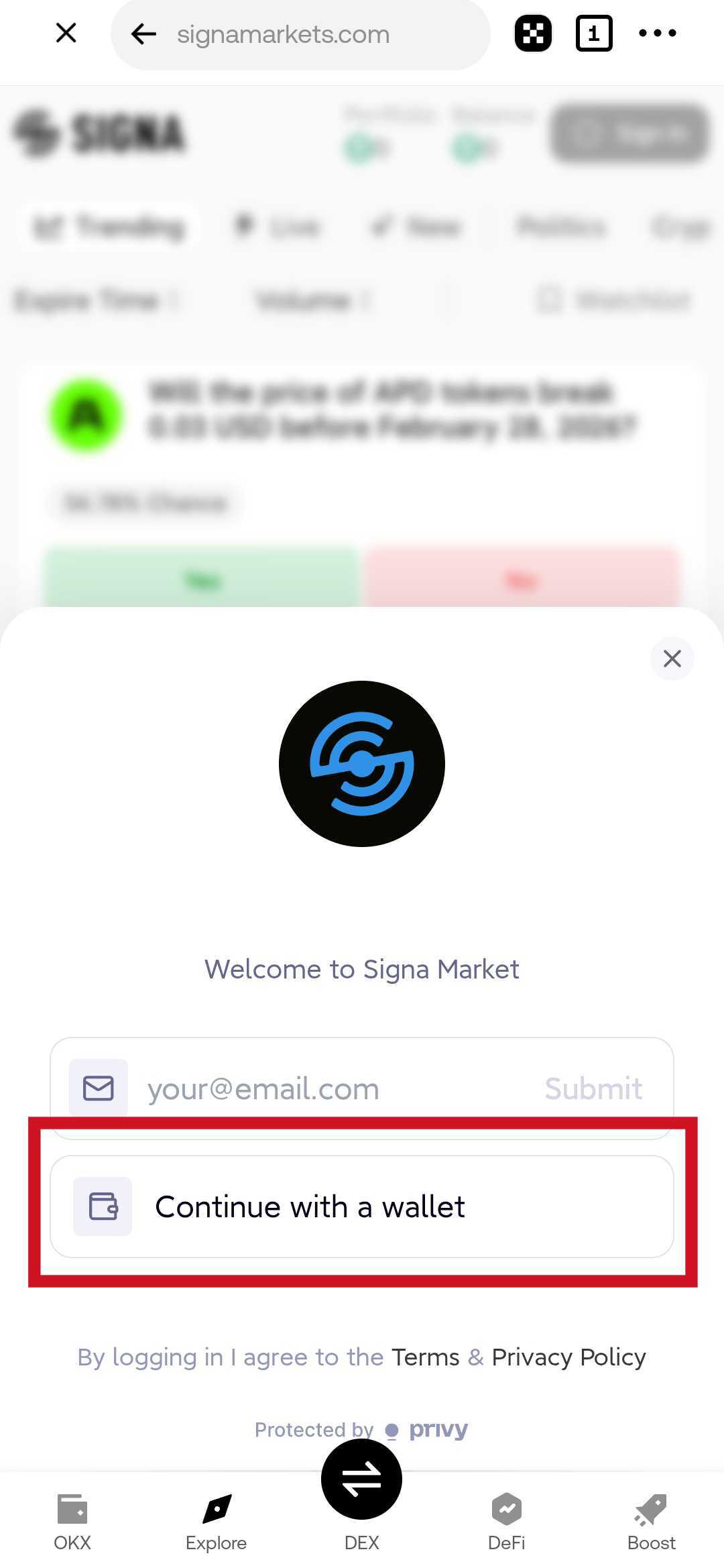
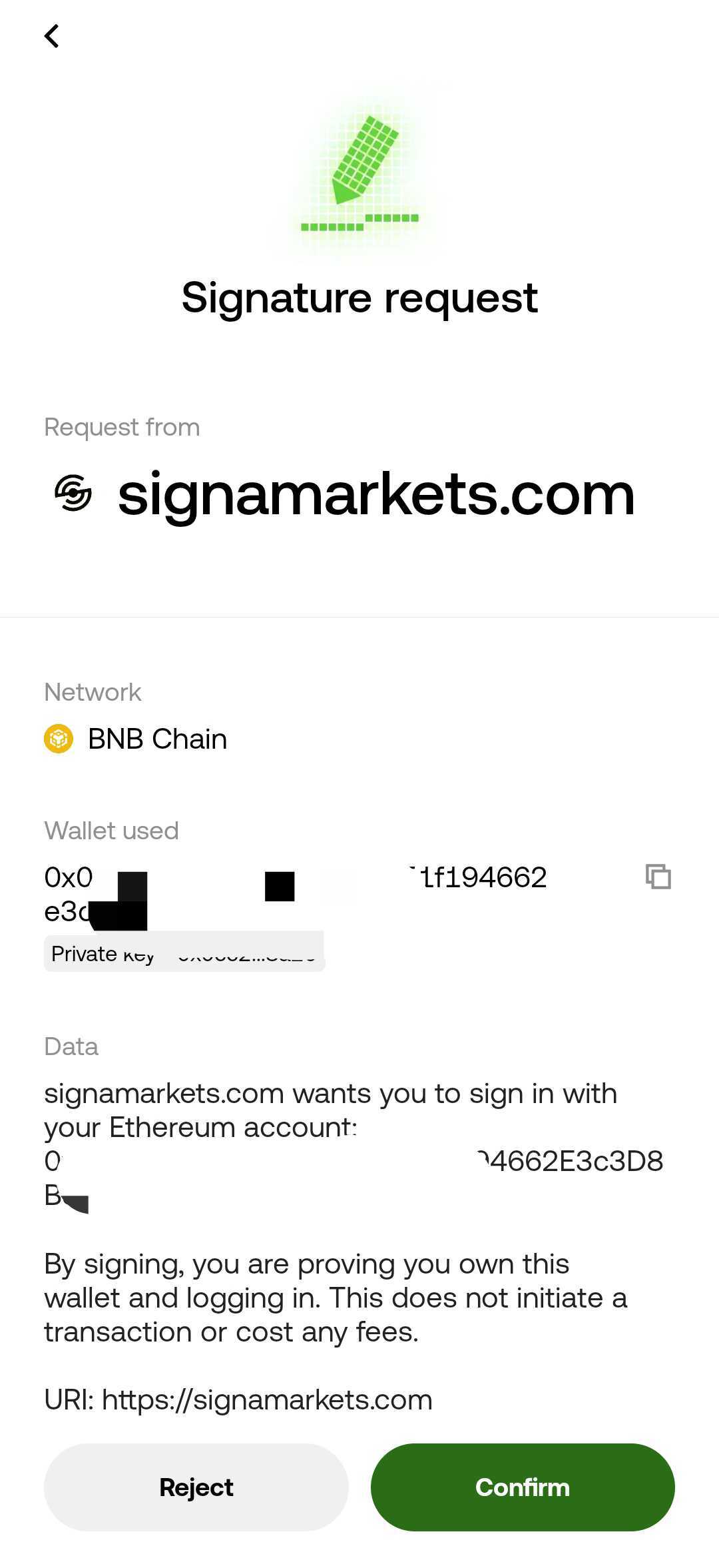
Wallet users should make sure their wallet is set to BSC Mainnet with Chain ID 56 before trading.
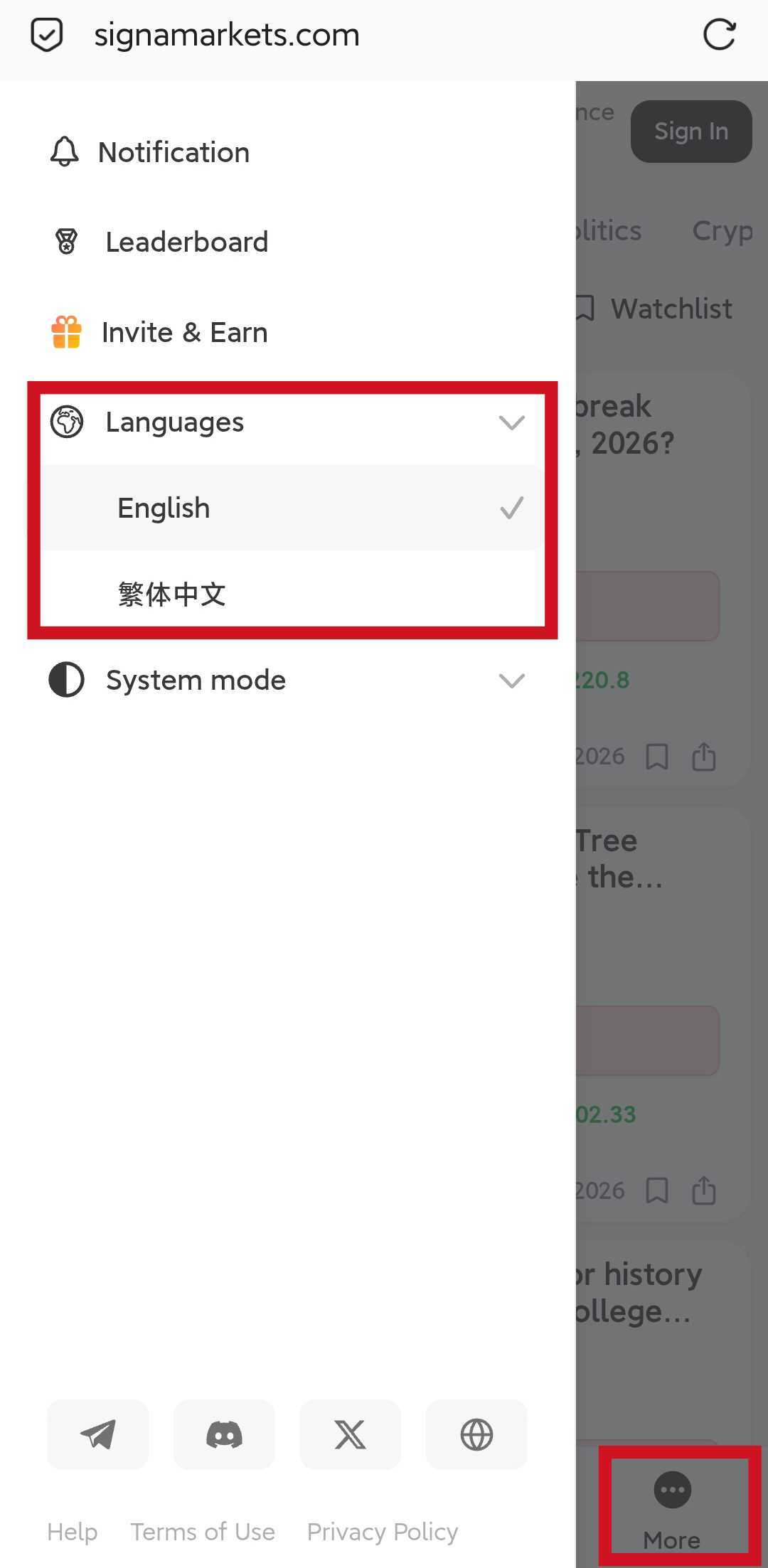
Language selection
Choose your preferred interface language from the language menu.
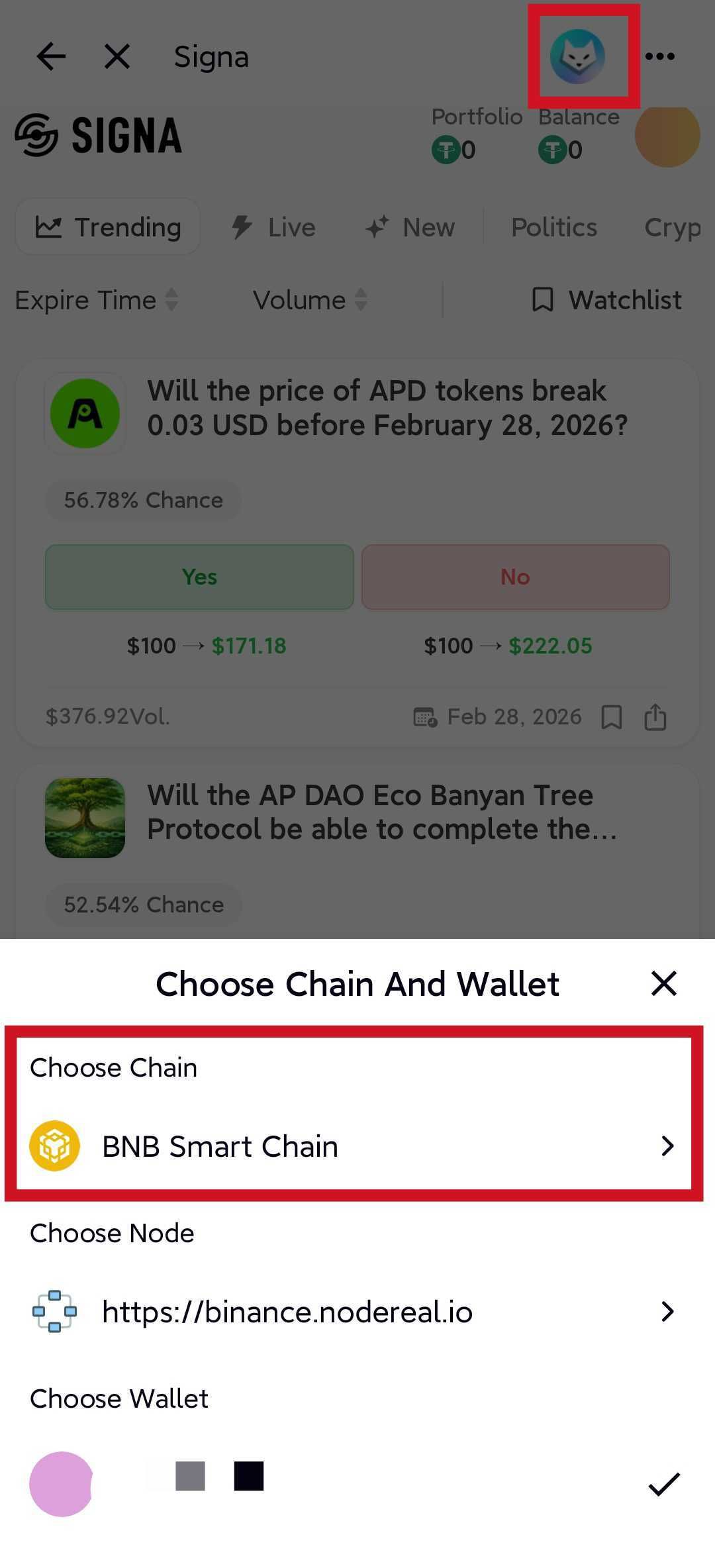
Network settings for wallet users
- Network: BSC Mainnet
- Chain ID: 56
FoxChat example:
2. Deposit and Withdraw
Before you can trade, you need to fund your Signa smart wallet.
Deposit
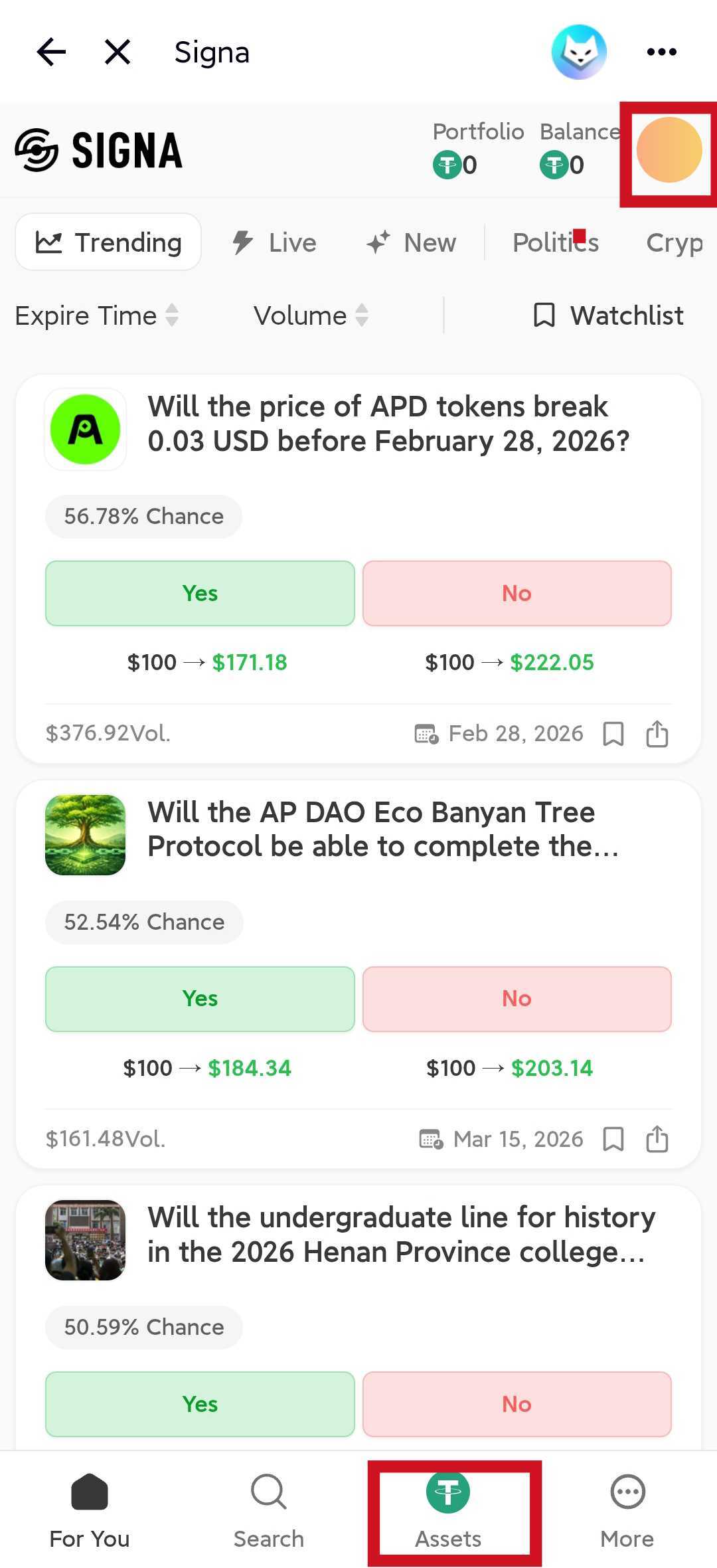
- After logging in, open Assets from the avatar menu or bottom navigation.
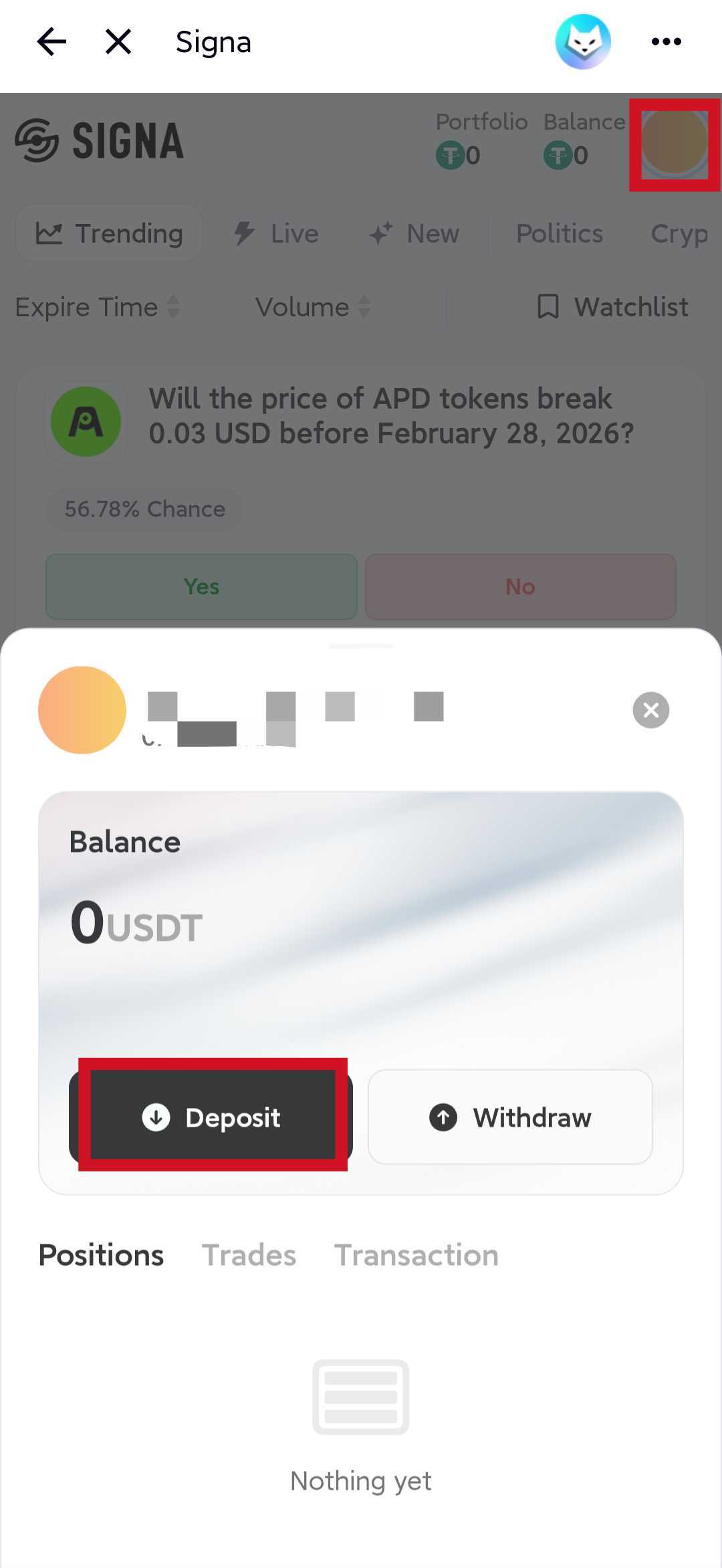
- Click Deposit.
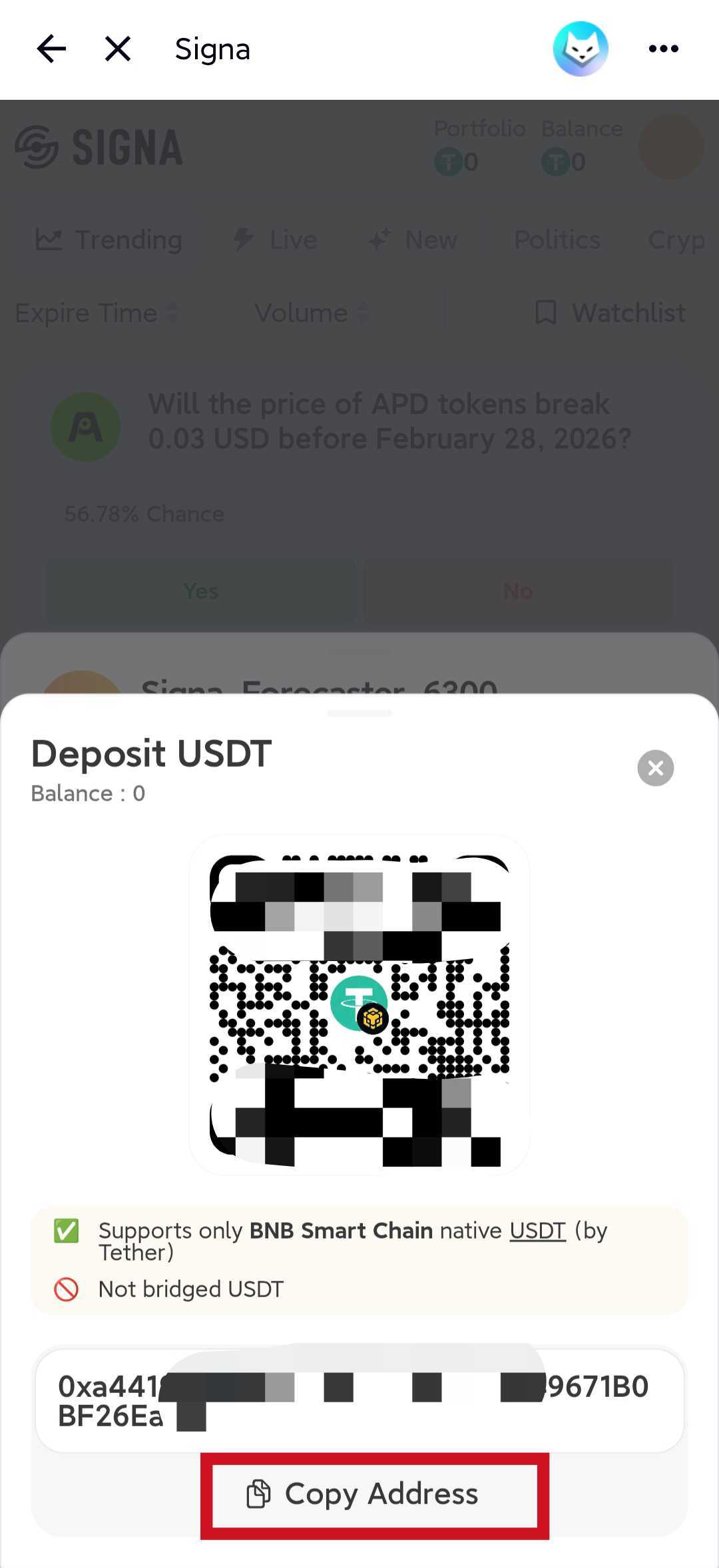
- Copy the deposit address or scan the QR code.
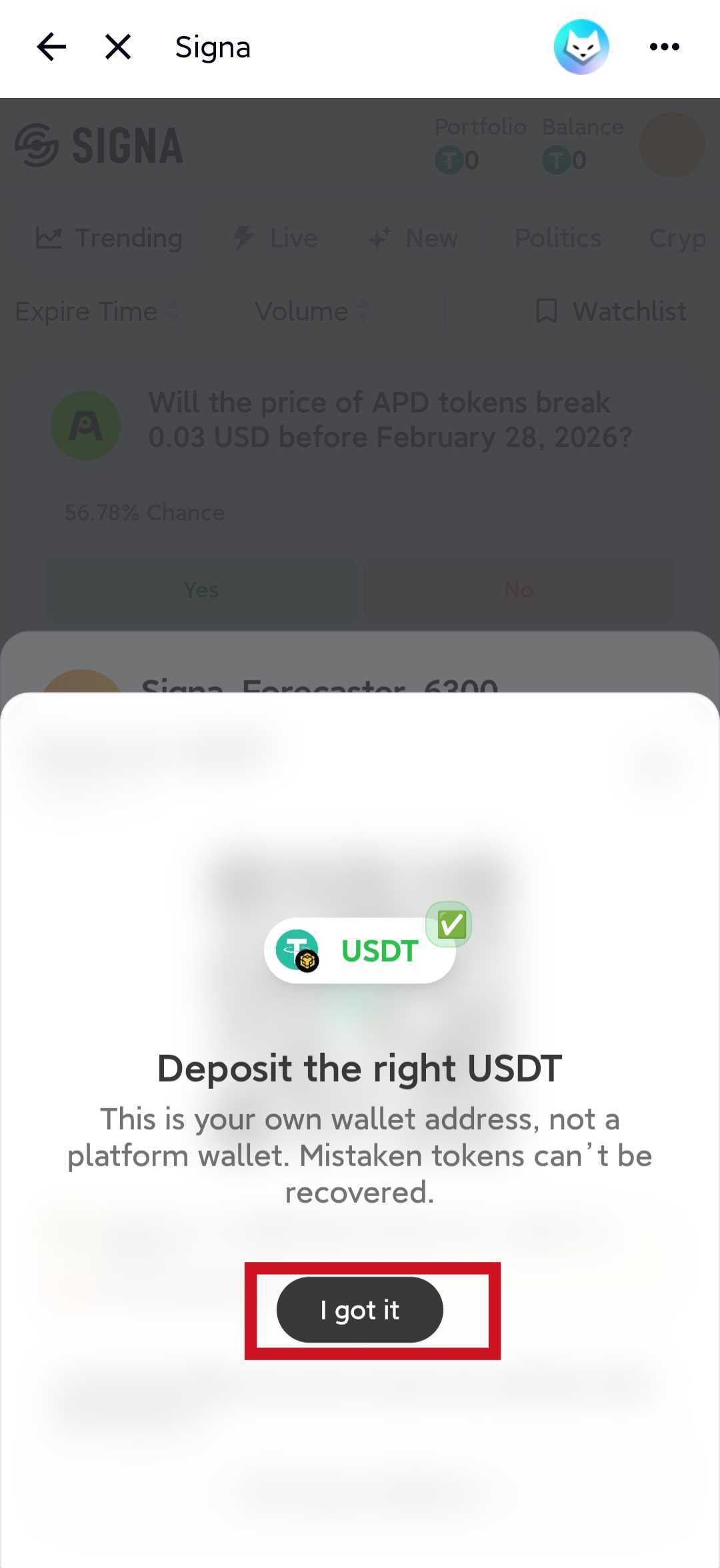
- Send USDT on BSC (BEP20) to that address.
- Wait for the balance to appear in your Signa account.
FoxChat example:
Withdraw
- Open Assets.
- Click Withdraw.
- Enter the amount to withdraw.
- Paste a receiving address on the BSC (BEP20) network.
- Review the address carefully and confirm the withdrawal.
FoxChat example:
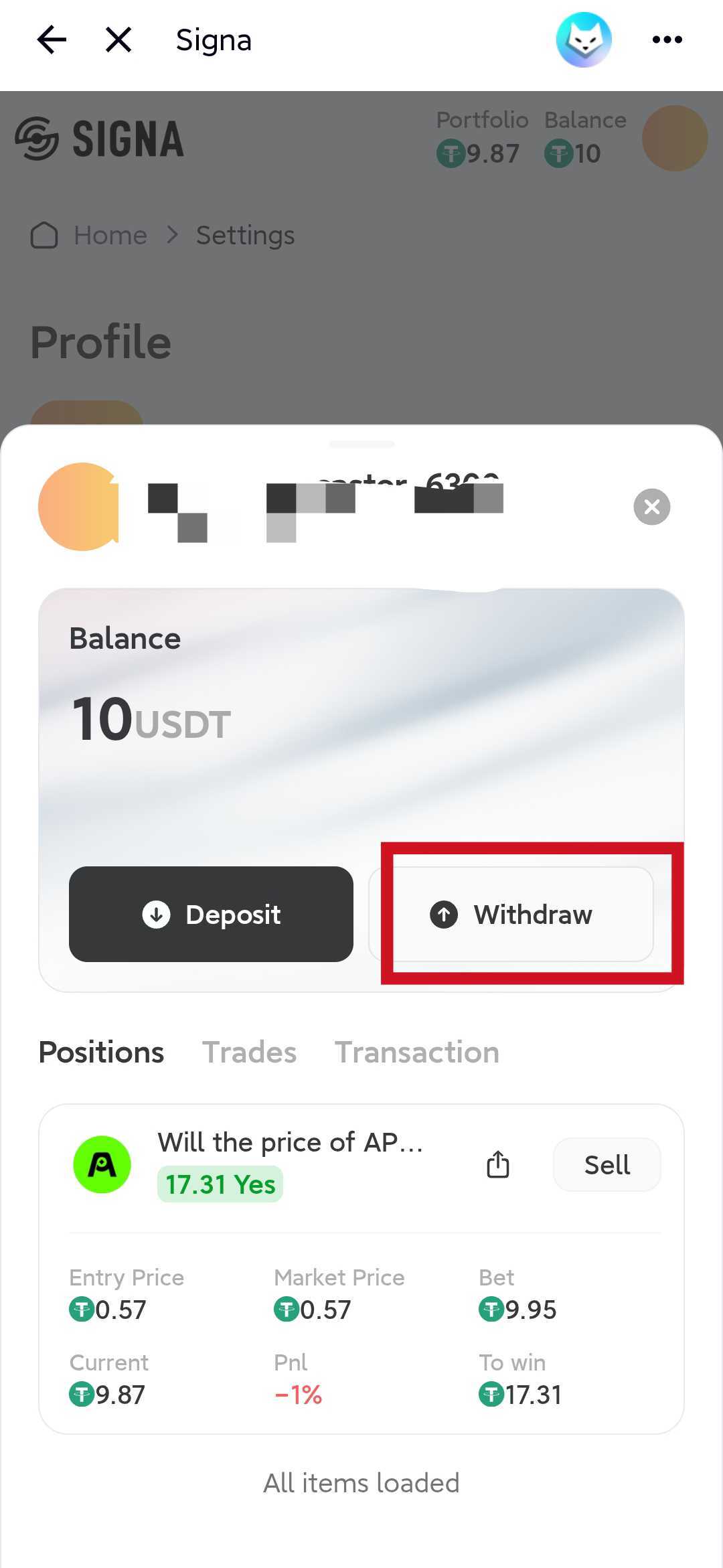
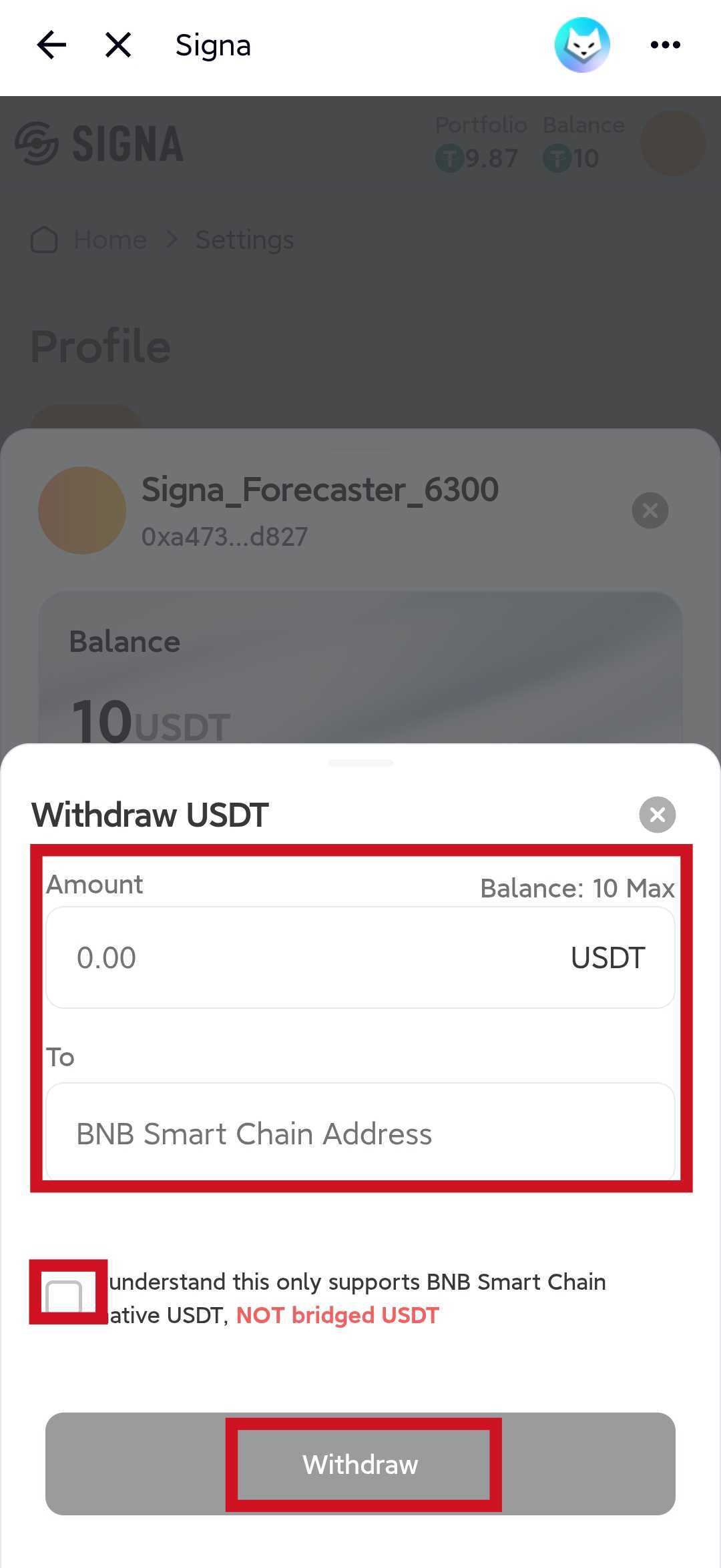
Signa currently supports USDT on BSC (BEP20) for deposits and withdrawals. Sending unsupported assets or using the wrong network can result in permanent loss of funds.
3. Buy and Sell
Trading on Signa is built around Yes/No outcomes. Each side is priced as a probability, and the two prices sum to 1.
Buy
- Open a market from the homepage or market list.
- Review the market question, rules, and expiry time.
- Choose Yes or No.
- Enter the amount you want to trade.
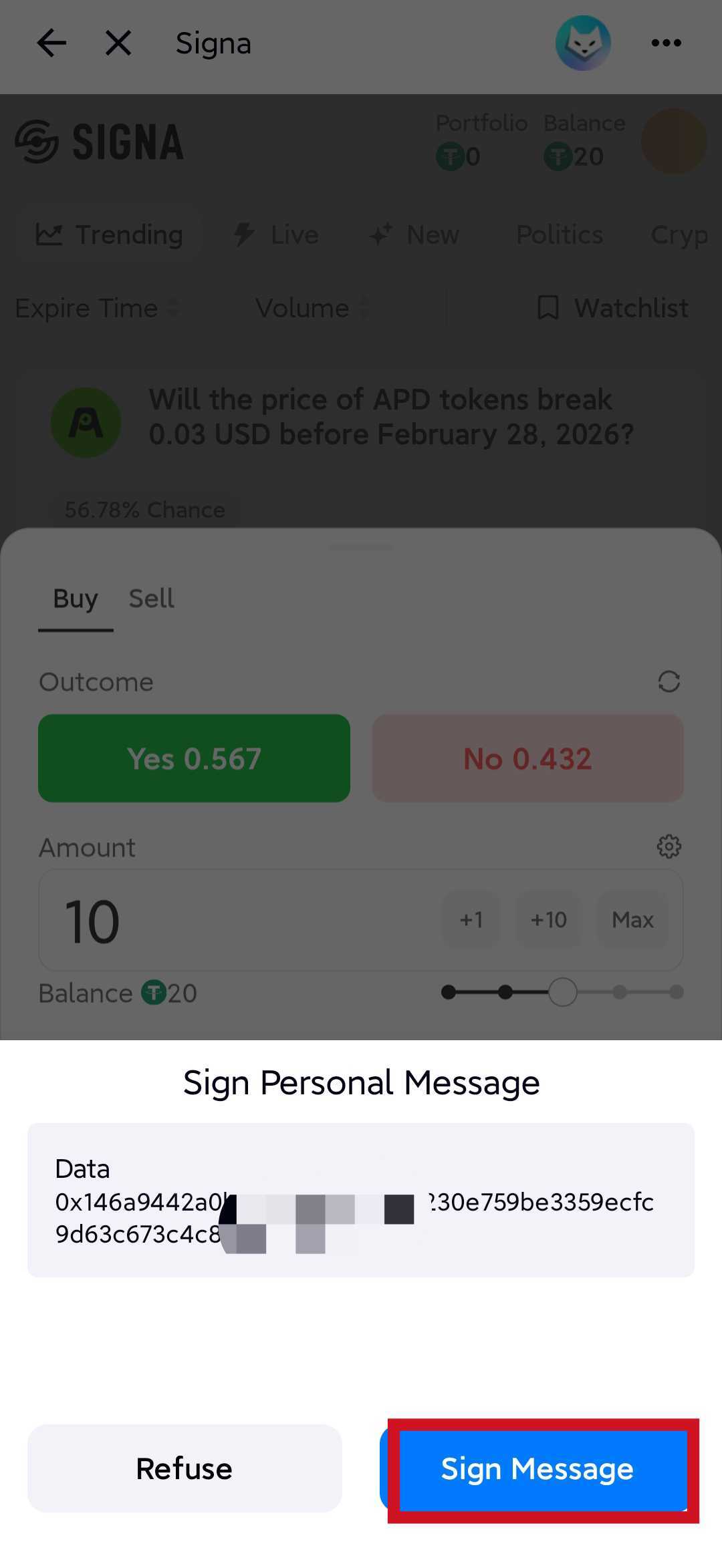
- Review the quoted price and estimated payout.
- Confirm the order.
FoxChat example:
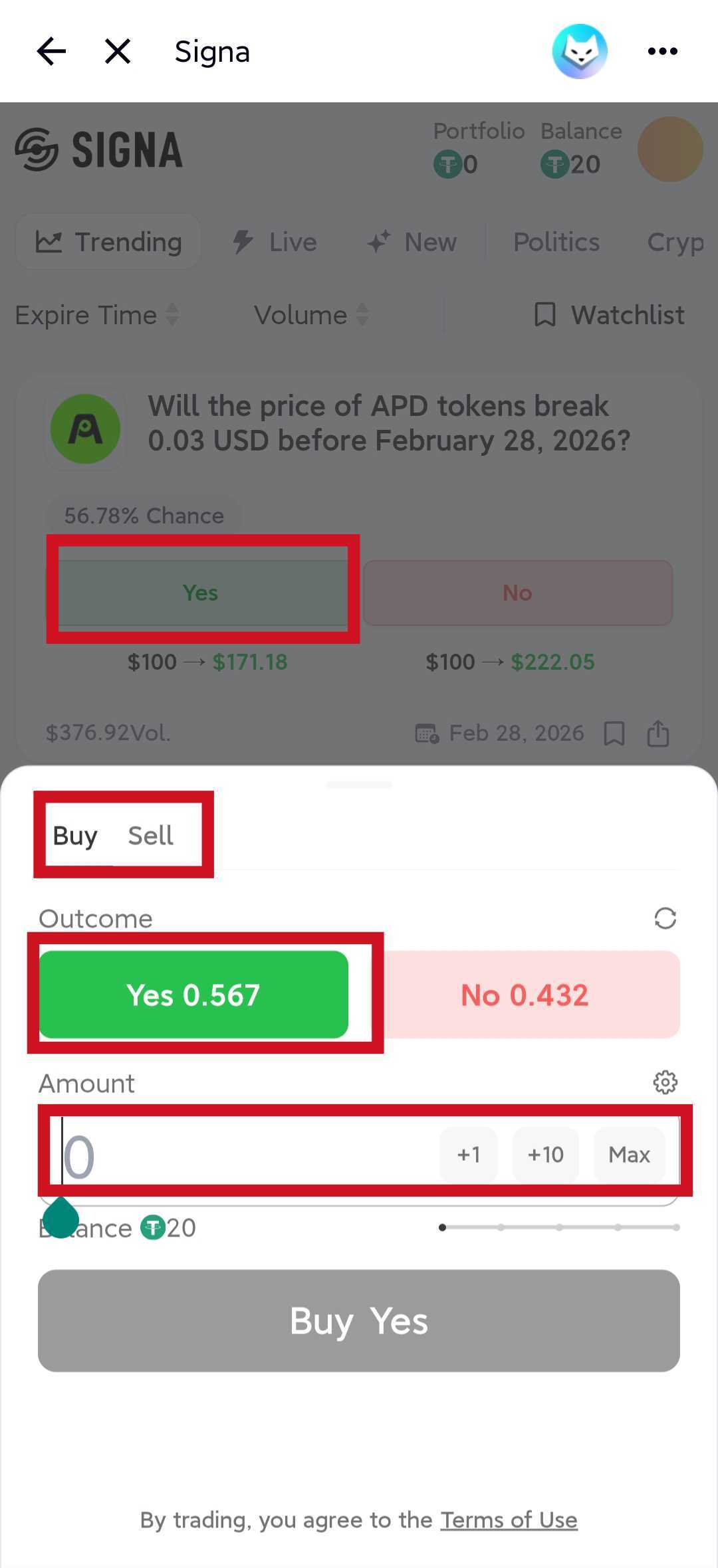
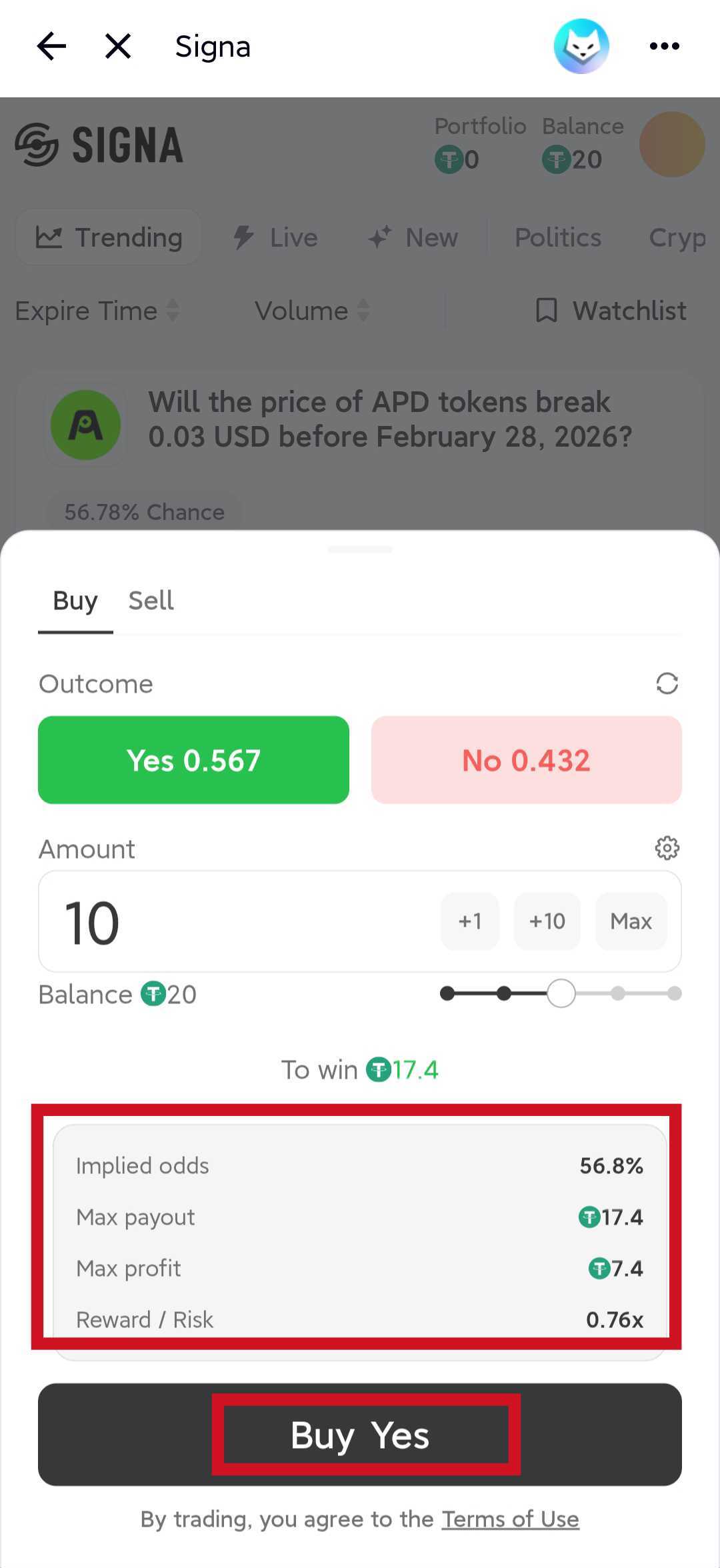
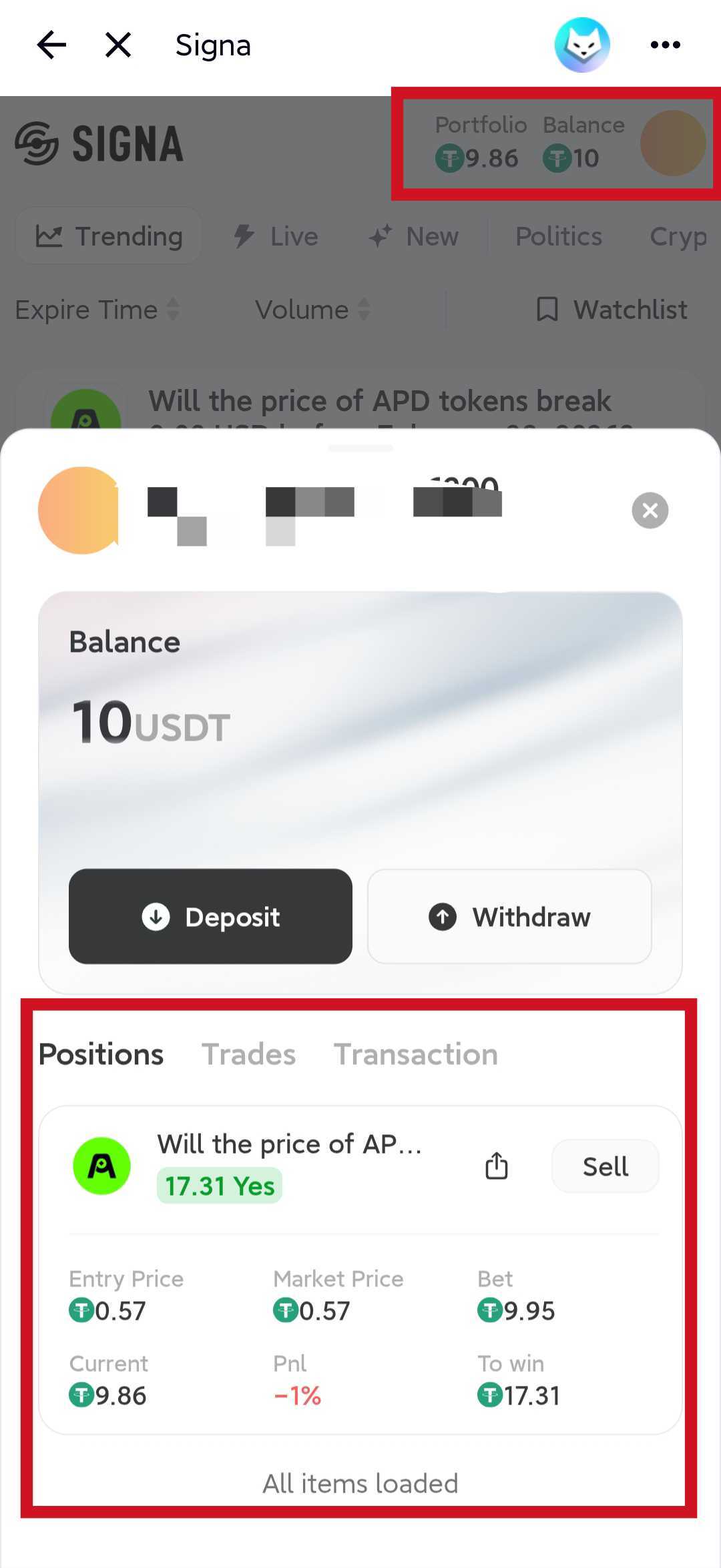
You can review open positions and trade history from Portfolio or Assets, depending on the interface you are using.
Sell
Before a market expires, you can close a position at any time.
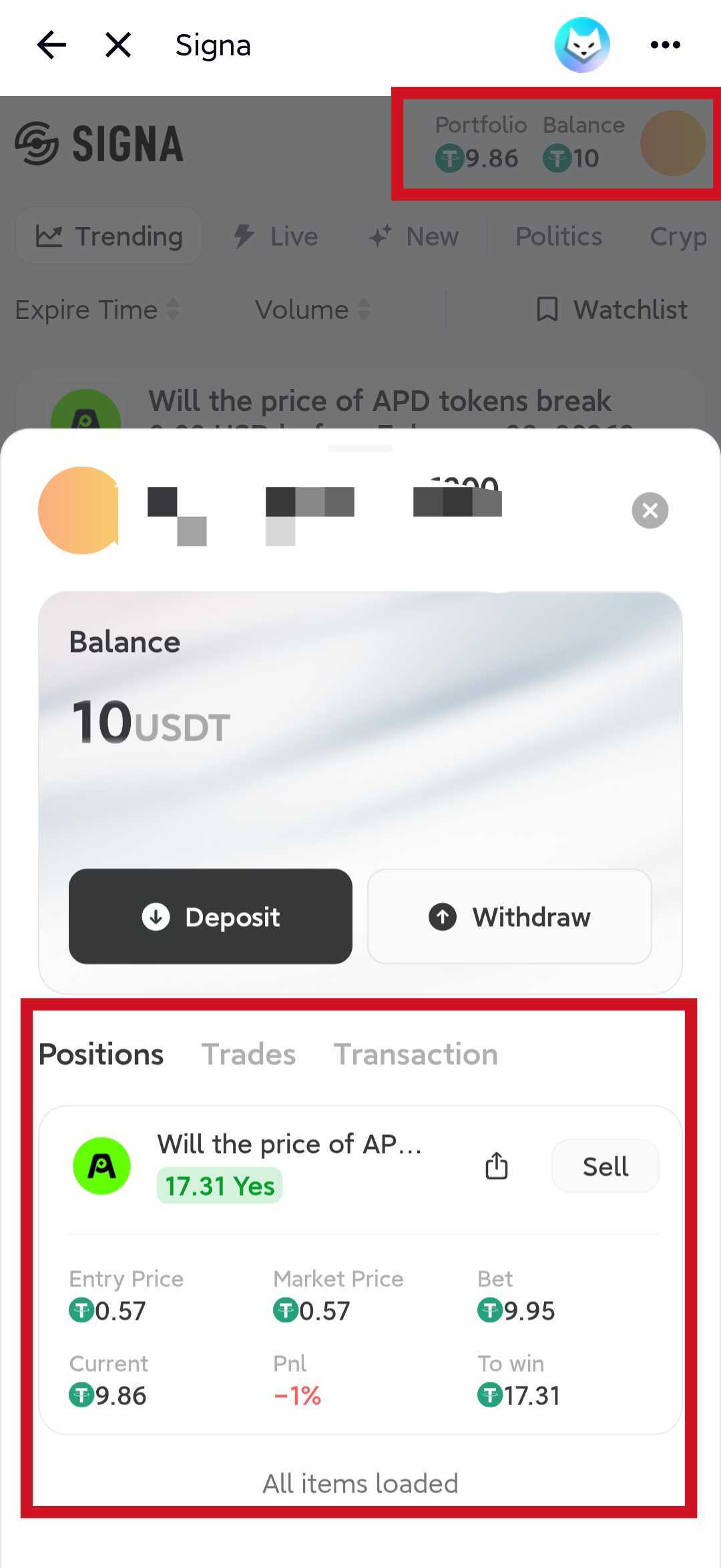
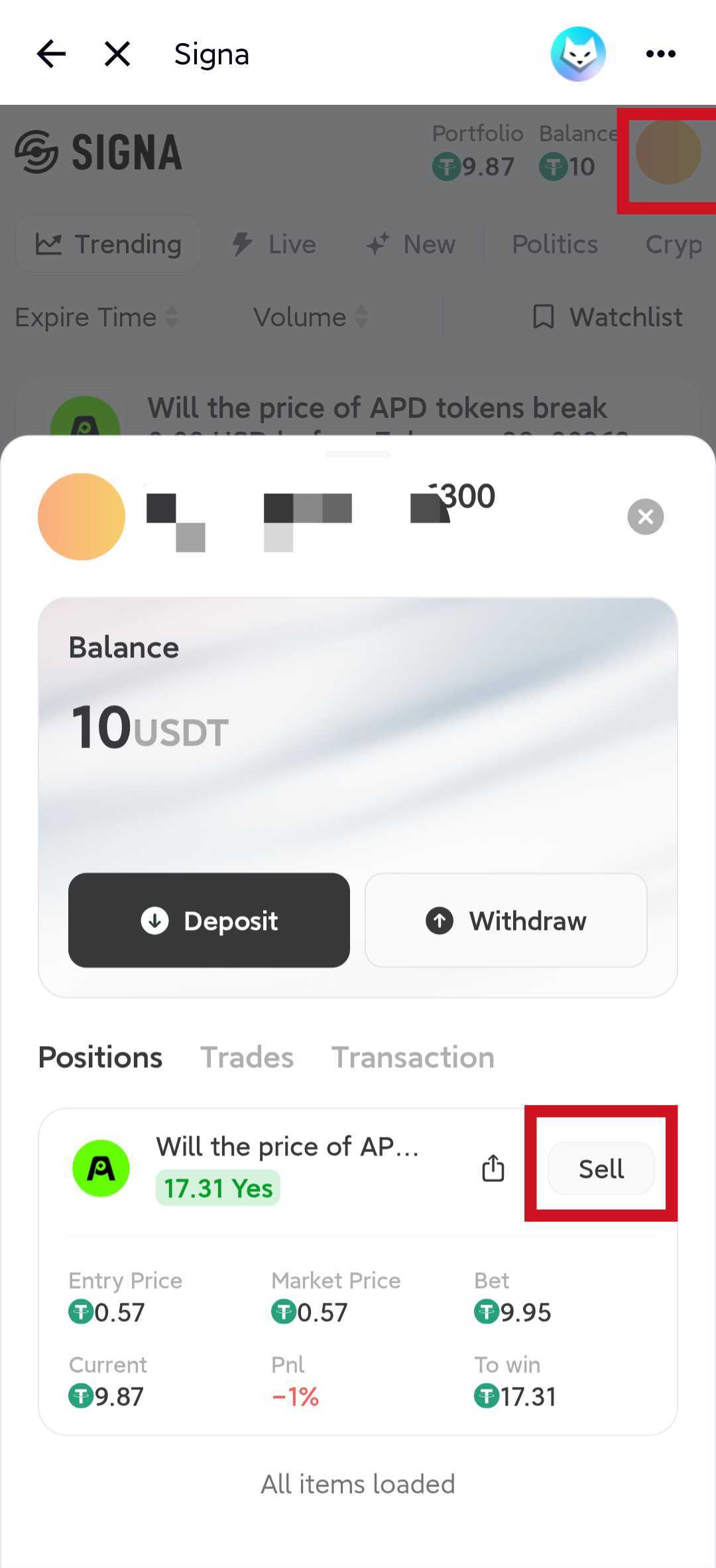
- On the market detail page, click Sell next to the position you hold.
- Or open Portfolio, find the position, and sell from there.
FoxChat example:
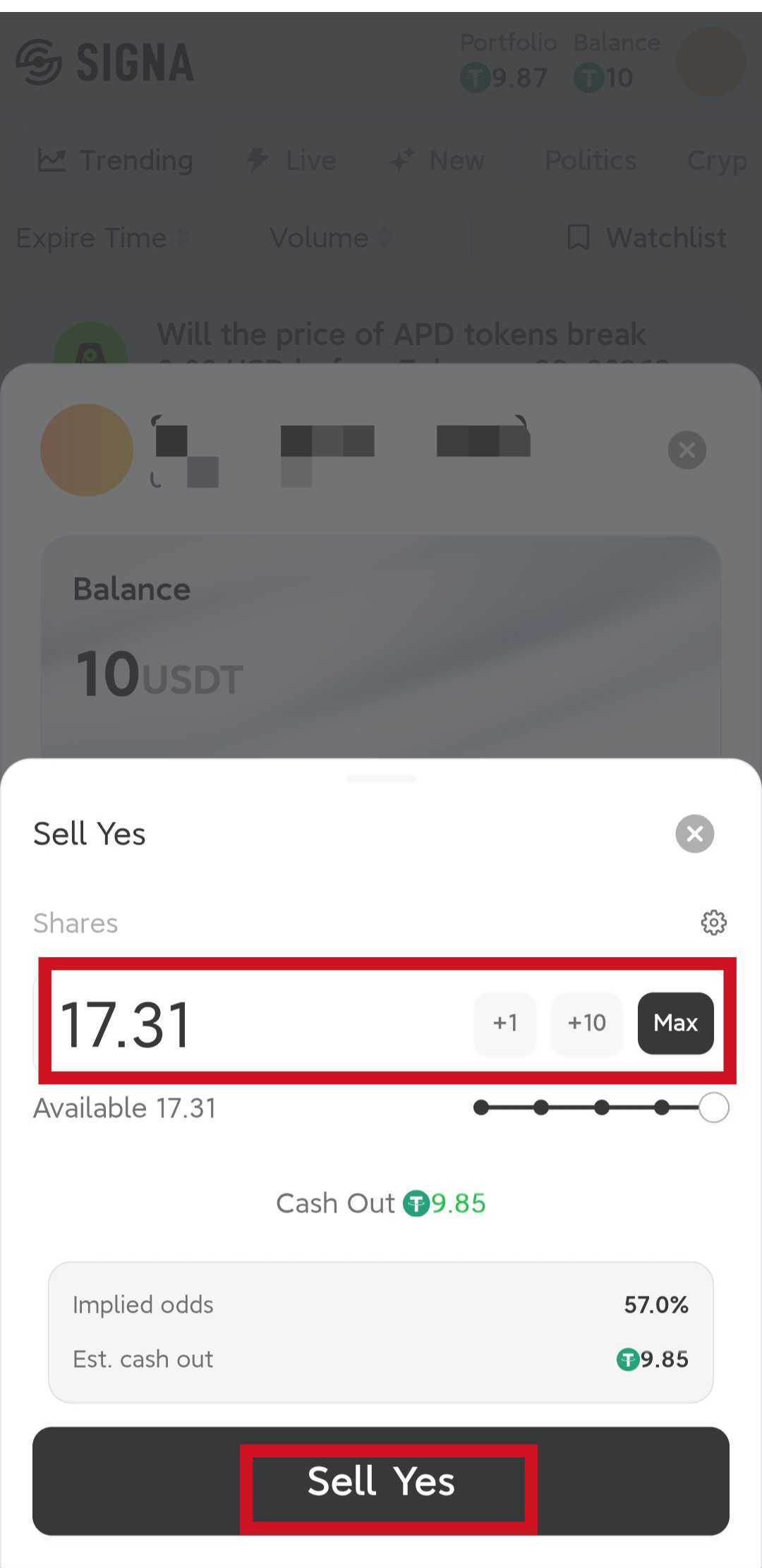
You may hold both Yes and No in the same market at the same time. These are separate positions and can be managed independently.
4. How Profit Works
There are two common ways to realize gains on Signa.
Method 1: Hold to settlement
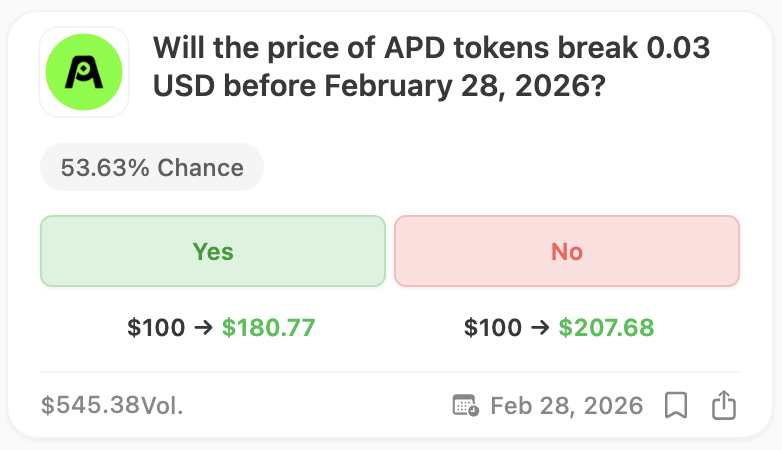
If you buy the correct outcome and keep the position until the market settles, the winning side can be redeemed for its full payout at settlement.
- If your position wins, you receive principal plus profit.
- If your position loses, the maximum loss is the amount you invested.
- After settlement, you can claim the result from the relevant position page.
Method 2: Trade before expiry
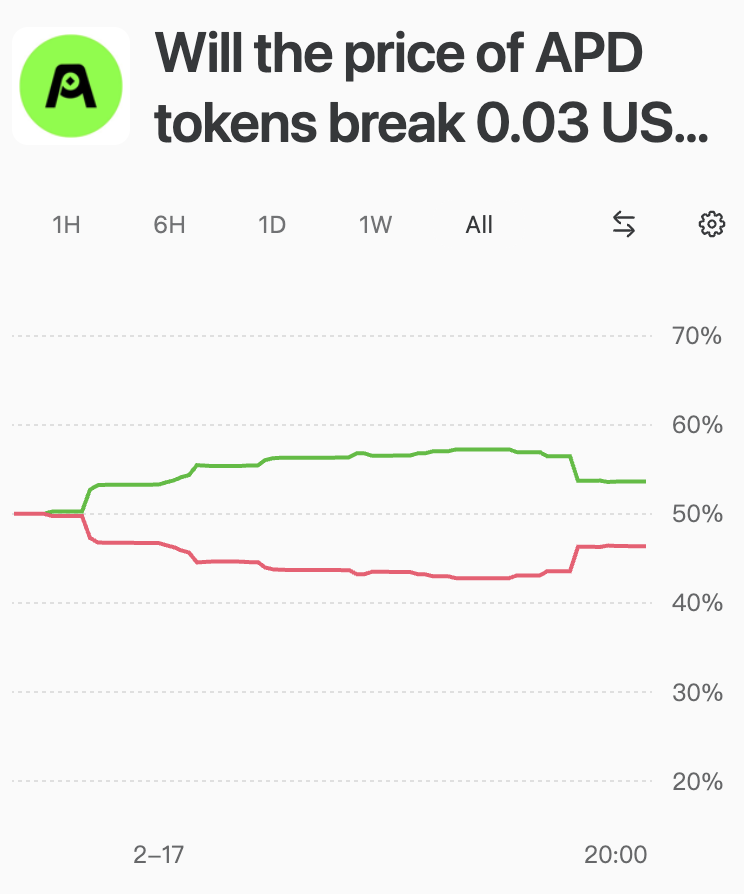
If the market moves in your favor before expiry, you can sell your position and lock in gains without waiting for final resolution.
For example, buying Yes at 0.40 and later selling at 0.70 realizes the price difference as trading profit, subject to execution conditions and liquidity.
A practical note on returns
There is no fixed yield on Signa. Outcomes depend on your entry price, exit price, position size, and whether your view proves correct at settlement.